Category: Feedback

  • How to Give Design Feedback People Can Actually Use

    How to Give Design Feedback People Can Actually Use

    Most feedback isn’t wrong. It’s just hard to use. “Can it pop more?” “Something feels off.” “I’ll know it when I see it.” Each of those notes costs the designer a guess, and every guess costs the project a round.

    Good feedback is a skill, and it can be learned. It comes down to a few habits you can use on the next file someone sends you.

    Start with what the work is for

    Before commenting on anything, remind yourself what the piece is meant to do. A landing page exists to get sign-ups. A poster exists to be noticed from across a room. A pitch deck exists to get a second meeting.

    When your notes are tied to that goal, they stop being matters of taste. “The headline is too small” is an opinion. “I didn’t notice the headline until I’d scrolled past the pricing” is evidence about whether the page does its job.

    Describe the problem, not your solution

    It’s tempting to write the fix: “Make the button red.” But you’re usually better placed to describe what went wrong than to decide how to solve it. The designer knows the system, the constraints and the ten options you haven’t seen.

    Try this pattern instead:

    • What I noticed: “I missed the Book a demo button on my first look.”
    • Why it matters: “It’s the main thing we want people to do.”
    • An idea, if you have one: “Could it stand out more from the secondary links?”

    The idea is optional. The first two parts are not.

    A good note tells the designer what happened to you as a viewer. The designer can take it from there.

    Point at the exact spot

    “The top section feels crowded” can mean the navigation, the hero, the headline or the spacing between them. Every ambiguity is a chance for the designer to fix the wrong thing.

    Put your comment directly on the element you mean. If your note is about the gap between two things, say so. If it applies to every page, say that too, once, instead of repeating it on each one.

    Separate must-haves from nice-to-haves

    Not every note has the same weight, and the designer can’t read your mind about which ones matter most. Label them:

    1. Blocking. Wrong information, broken layouts, anything that stops launch.
    2. Important. Changes that would clearly make the work better.
    3. Optional. Personal preferences and small ideas. Take them or leave them.

    That one-word label saves a surprising amount of back-and-forth, and it gives the designer permission to push back on the optional ones.

    Say what’s working

    Positive feedback isn’t just politeness. It’s information. If you don’t say the typography is great, it might not survive the next round of changes. A single line such as “the photography direction is exactly right, keep it” protects the parts you’d hate to lose.

    Review in one pass, with one voice

    Feedback that trickles in over three days, from four people who disagree, is the hardest kind to act on. Where you can:

    • Give everyone the same deadline for the round.
    • Keep all comments in one place, on the file itself.
    • Settle disagreements between reviewers before they reach the designer.

    A quick template

    When in doubt, write each comment like this:

    “On [this exact spot], I noticed [what happened]. That matters because [the goal]. [Optional idea.] Priority: [blocking, important or optional].”

    It feels formal the first few times. After a week it becomes habit, and your designers will notice.


    If you want to see how this works in practice, CommentJet reviews let you pin each comment to the exact spot on a design, image or PDF, reply in a thread and mark it resolved once it’s done. For the other side of the table, read how to take feedback without taking it personally.
  • How to Take Feedback on Your Work Without Taking It Personally

    How to Take Feedback on Your Work Without Taking It Personally

    You share a draft, and the comments start arriving. One says the headline is weak. Another asks why the button is green. A third just says “hmm.” Before you’ve read any of them properly, your pulse has already picked a side.

    That reaction is normal. When you’ve spent days on something, the work feels like part of you, so criticism of the work lands like criticism of you. But the people who improve fastest aren’t the ones who never feel the sting. They’re the ones who have a routine for what to do next.

    Here’s a routine that works, whether you’re an agency working through client rounds or a product team reviewing flows every week.

    1. Read everything once before you reply to anything

    The first pass is for understanding, not answering. Read every comment from every reviewer without typing a word. Patterns only show up when you see the whole set: three people circling the same section is a signal, while one person’s pet preference usually isn’t.

    If a comment stings, notice it and keep reading. You’ll respond better in twenty minutes than in twenty seconds.

    2. Listen for the problem, not the proposed fix

    Reviewers are good at noticing when something feels off, and much less reliable at explaining why. “Make the logo bigger” might really mean “I couldn’t tell whose site this was.” “Can we try blue?” might mean “this doesn’t feel like us.”

    Treat every suggested fix as a clue to an underlying problem. Solve that problem your way and you’ll often land on something better than the fix you were handed, and the reviewer will still feel heard.

    Feedback tells you where someone tripped. It rarely tells you where the rock is.

    3. Ask one good question

    When a comment is vague, don’t guess and don’t defend. Ask one clarifying question that moves things forward:

    • “What were you expecting to see here?”
    • “Is this a must-change for launch, or something to explore next round?”
    • “Which version felt closer?”

    A question shows you’re taking the note seriously. It also turns a vague reaction into something you can act on.

    4. Sort before you start

    Not all feedback carries the same weight. Before you open your design tool, sort every note into three piles:

    1. Must fix. Errors, broken flows, and anything that contradicts the brief.
    2. Worth trying. Ideas that could make the work better and cost little to test.
    3. Noted. Preferences you’ve considered and won’t act on, each with a one-line reason.

    That third pile matters. Saying “we kept the green because it’s the brand colour” is far better than quietly ignoring a comment, which reviewers always notice.

    5. Separate the work from yourself

    A useful trick is to talk about the draft in the third person. Not “my layout” but “this layout.” Not “I got it wrong” but “this version doesn’t solve the navigation problem yet.” It sounds small, but it moves you out of the defendant’s chair and onto the reviewer’s side of the table, looking at the work together.

    6. Close the loop

    The fastest way to get better feedback next time is to show what happened to the feedback this time. Reply to each comment with what changed, or why it didn’t, then mark it resolved. People who can see that their input made a difference give more thoughtful input in the next round.


    Set up reviews so feedback is easier to take

    Taking feedback well is a skill, but the way feedback is collected shapes how it lands. A few habits make a big difference:

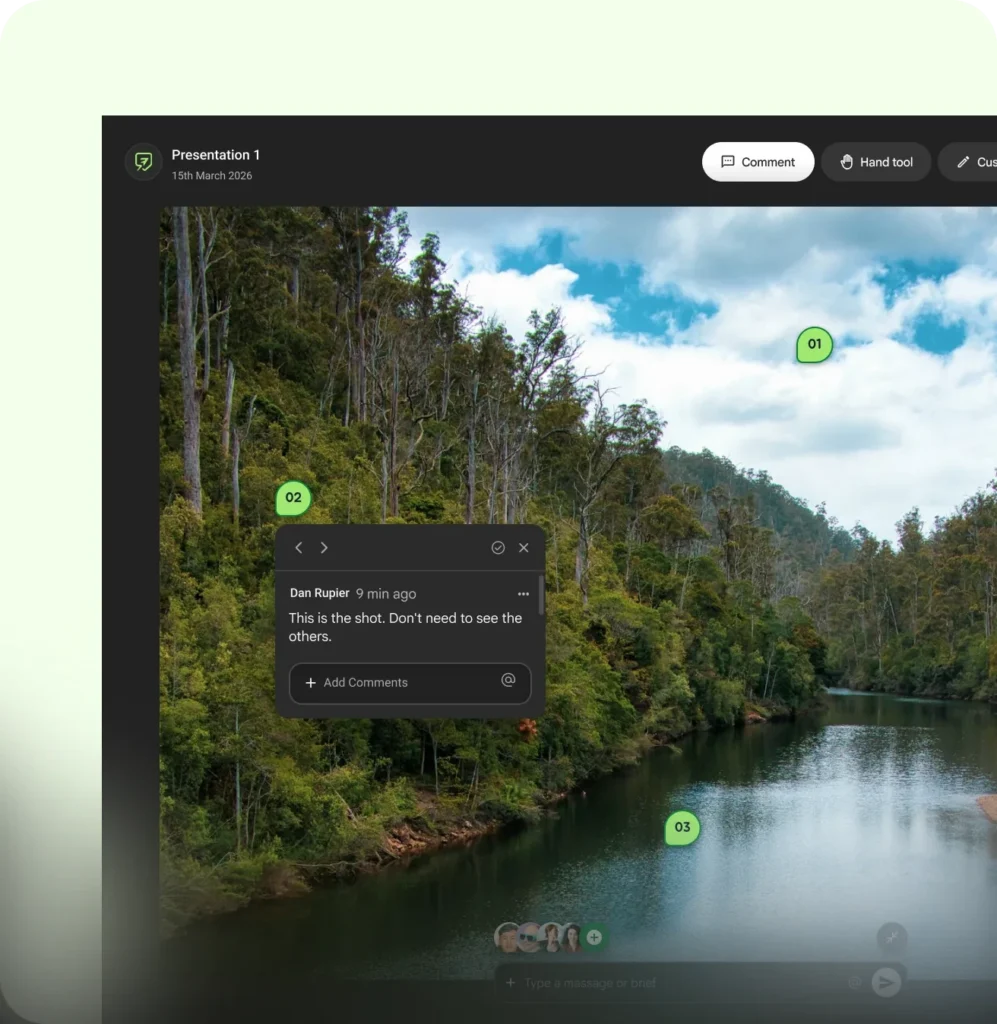
    Numbered comment pins on a photo in CommentJet, with one comment thread open
    A comment pinned to the exact spot leaves much less room for misreading.
    • Pin comments to the exact spot. “The top bit feels crowded” in an email thread invites guesswork. A comment placed right on the element doesn’t.
    • Keep every note in one place. Feedback split across email, chat and call notes is how comments get lost, and a lost comment reads as an ignored one.
    • Share a brief with the draft. Tell reviewers what you want from this round, such as “structure, not copy yet,” and you’ll get fewer notes on things that aren’t ready.
    • Resolve in the open. Replying and then marking a comment resolved shows reviewers exactly what was done.

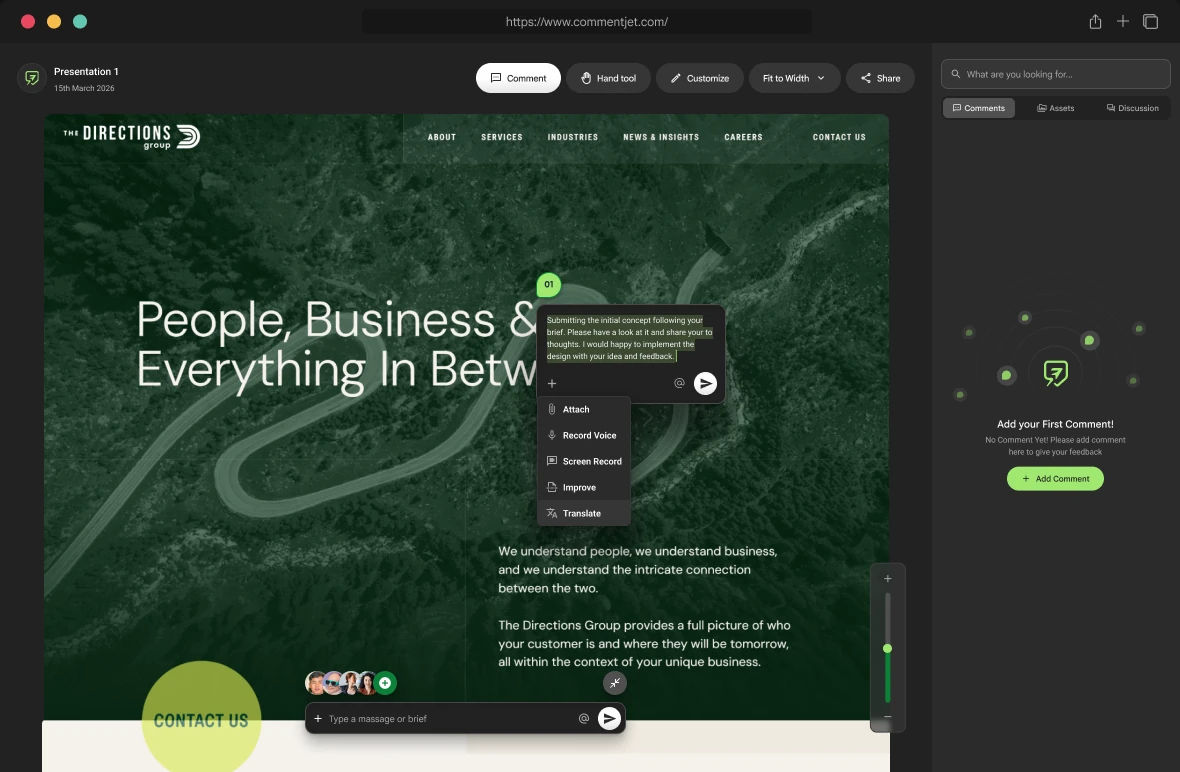
    That’s the thinking behind CommentJet reviews. Upload a file, share it, and everyone leaves comments pinned to the exact spot, with replies, voice notes and a way to mark each one resolved.

    A quick checklist for your next review

    • Read every comment once before replying.
    • Translate suggested fixes into the problems behind them.
    • Ask one clarifying question wherever a note is vague.
    • Sort notes into must fix, worth trying and noted.
    • Reply to every comment, then resolve it.

    Feedback will still sting sometimes, and that’s fine. The goal isn’t to stop feeling it. It’s to have a routine that turns the sting into a better next draft.