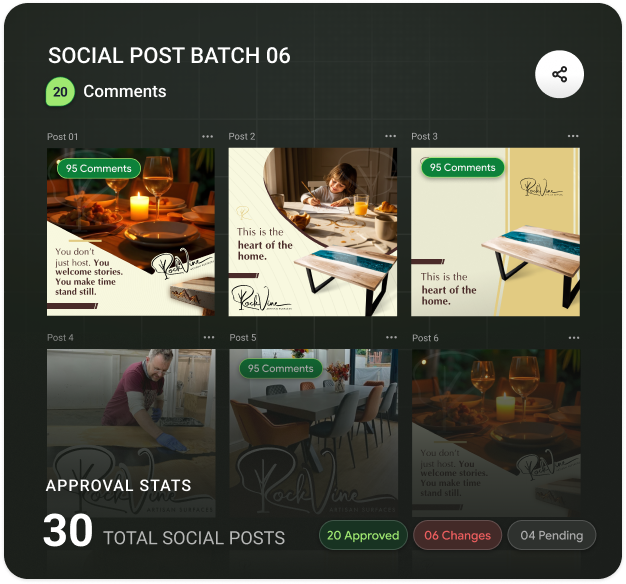
Every agency knows the thread. It starts with “Here’s the first draft!” and a PDF. Three days later it has forty replies, two forwarded chains, a screenshot with red circles, and a question nobody can answer: which version did the client actually approve?
The work isn’t the problem. The process around it is. Here’s a simpler way to run client approvals.
Agree on the rules before the first draft
Most approval pain is set up at the kickoff. Before you share anything, agree on three things with the client:
- Who approves. One named person has the final say, even if five people comment.
- How many rounds. Two rounds of changes is a common default; more is a change of scope.
- What each round is for. Round one is direction and structure. Round two is details and copy.
Write it into the proposal. It feels formal, but it’s the kindest thing you can do for both sides.
Share one link, not attachments
Attachments multiply. Each reply creates another copy, and each copy collects its own comments. Instead, share a single link to the work, and keep every version and every comment behind it.
That one change fixes the most common approval failure: the client commenting on an old version while you’re working on a new one.
Ask for comments on the work itself
Clients are not designers, and they shouldn’t have to describe a layout in words. Let them click the spot they mean and type. “This photo feels too dark” pinned right on the photo is worth ten paragraphs of email.
It also removes a quiet source of conflict. When a comment sits on the exact element, there’s no argument later about what the client meant.
The clearer the feedback channel, the fewer “quick calls” you need to decode it.
Brief every round
When you share a draft, add a short brief:
- What changed since the last round.
- What you want feedback on now.
- What’s already agreed and shouldn’t be reopened.
- The date you need comments by.
A brief keeps round two from turning back into round one.
Close each comment visibly
Before sending the next version, reply to every comment with what you did, then mark it resolved. If you didn’t make a change, say why in one line. Clients rarely mind a reasoned “no”; they mind being ignored.
This also creates a record. When someone asks six weeks later why the logo is on the left, the answer is right there.
Ask for the approval in writing
At the end of the last round, ask the named approver for a clear, written yes on the final version. Not a thumbs-up emoji in a group chat. A short “Approved for launch” on the file itself is enough, and it protects everyone.
CommentJet is built around this flow: one shared link per review, comments pinned to the exact spot, a brief with each round, and resolved comments that show what was done. For more on writing notes clients can act on, see how to give design feedback people can actually use.
Leave a Reply